
KuCoin Trading Bot: Complete Guide With TradingView & Sferica
Published on: May 25, 2026
Sferica is an official KuCoin Broker Pro partner. A KuCoin trading bot built with Sferica routes TradingView or TrendSpider alerts to your KuCoin account through a no-code connector — no Python, no VPS, no custom infrastructure.
Two connector profiles cover KuCoin Spot and KuCoin Futures (USDT-margined perpetuals). Both take the same three credentials — API key, secret, and the passphrase you set when generating the key on KuCoin. The two products use separate API panels on KuCoin, so plan on one key per connector and run both in parallel from the same Sferica account.
Broad altcoin coverage is KuCoin's edge — hundreds of pairs, including small-caps not listed on Binance or Bybit. Sferica preserves that breadth: every pair on your KuCoin account is tradable from a strategy.
Trade-only API keys with withdrawal permission disabled. Your funds never leave KuCoin. Sferica only signs orders on your behalf and you can revoke the key inside KuCoin in seconds.
Start with the 14-day Sferica free trial. Open a KuCoin account through Sferica's broker referral, generate one trade-only API key, and a Spot or Futures bot is running on the leaderboard's strategies within minutes.
Building a KuCoin trading bot used to mean writing Python against KuCoin's REST and WebSocket APIs, renting a VPS, managing reconnect logic, and engineering position-sizing and risk controls from scratch. On top of that you had to wire in KuCoin's mandatory API passphrase on every key — Spot and Futures alike — and, on Futures, juggle leverage settings and isolated-versus-cross margin logic. Most traders never made it past that ladder.
Sferica removes every rung. If you can configure a TradingView alert, you can automate KuCoin Spot or KuCoin Futures with the same strategies that already trade live on the Sferica leaderboard. As an official KuCoin Broker Pro partner, Sferica connects through a tight, supported integration — not a scraped or reverse-engineered API. This guide walks through the full setup end-to-end, the risk controls that matter, and the differentiator between Sferica and KuCoin's native bots.
What is a KuCoin trading bot
A KuCoin trading bot is a program that opens, modifies, and closes orders on your KuCoin account automatically, driven by rules instead of human discretion. The rules live in a trading strategy — entry conditions, exit conditions, and risk parameters. When the strategy fires a signal, the bot translates that signal into a real KuCoin order and submits it through the KuCoin API.
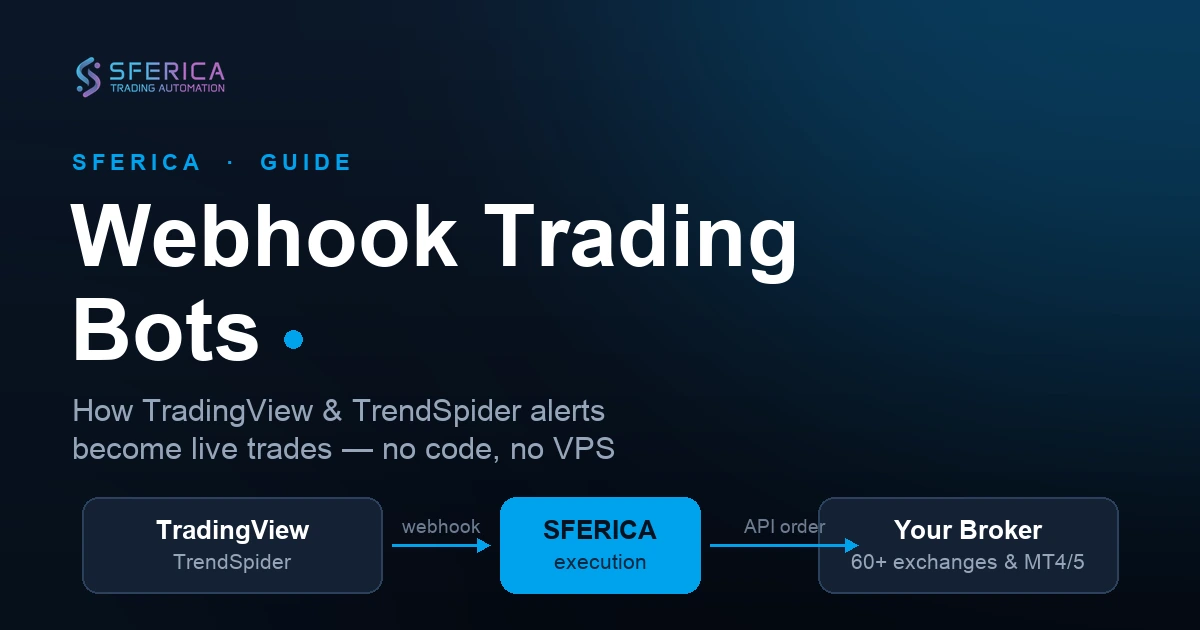
In the Sferica setup, the bot is split across three components, each doing one job well:
- TradingView (or TrendSpider) hosts the strategy logic. You either author the strategy yourself in Pine Script, or you pick one from Sferica's curated leaderboard. TradingView's alert system fires a webhook every time the strategy's conditions are met on the live chart.
- Sferica receives the alert, applies your account-level risk rules (max position size, max drawdown, leverage caps), and converts the signal into a KuCoin-specific order payload — Spot or Futures, with the right margin mode and leverage. Sferica also tracks every trade so the live-tracked performance on the leaderboard reflects what is actually executing.
- KuCoin receives the order through its API and executes against the order book. The fill comes back through the same API and Sferica updates its records.
The full round trip — from alert fire to filled KuCoin order — usually completes in under two seconds.
How a KuCoin bot works with TradingView and Sferica
Here is the signal path, end to end.
1. TradingView creates the signal
Your Pine Script strategy runs on a TradingView chart in real time. When the strategy's logic says "enter long", "close position", or anything in between, TradingView fires an alert. The alert payload contains the strategy identifier, the action ("buy" / "sell" / "close"), and any custom variables embedded in the alert message — target size, stop-loss price, leverage if applicable.
2. Sferica receives and processes the alert
The alert routes to a Sferica webhook endpoint. Sferica decodes the payload, looks up which KuCoin connector profile is associated with the strategy (Spot or Futures), checks that the strategy is still active and within its risk envelope, and constructs the KuCoin order request. If the alert violates a risk rule — for example, you already have a position open and the strategy is configured one-trade-at-a-time — Sferica rejects the alert silently and logs the reason on your dashboard.
3. KuCoin receives the order through API
Sferica signs the order with your KuCoin API key and submits it through KuCoin's REST API. The order type — market, limit, or stop — comes from your strategy configuration. For KuCoin Futures, leverage and margin mode are applied as part of the same call. KuCoin returns a fill confirmation (or a rejection), Sferica records it, and the leaderboard updates with the new trade.
The pipeline is identical whether you trade BTC-USDT spot, an altcoin pair on Spot, or a USDT-margined perpetual on Futures. Only the connector profile in step 2 changes.
Why Sferica + KuCoin
KuCoin offers some of the broadest altcoin coverage among global crypto exchanges — hundreds of pairs, including small-caps not listed on Binance or Bybit. That breadth is the main reason traders pick KuCoin over its competitors. The catch is that KuCoin's own trading-automation tools are templates: Spot Grid, DCA, Futures Grid. They cannot be driven by a TradingView alert or a custom Pine Script strategy, and you cannot inspect or modify their internal logic.
Sferica plus KuCoin solves that mismatch:
- Official KuCoin Broker Pro integration. Sferica connects through KuCoin's supported broker API, not a scraped endpoint — see the full Sferica × KuCoin connector specs. The integration survives KuCoin's platform updates and benefits from the documented rate limits and SLA.
- Full altcoin breadth preserved. Every pair on your KuCoin account is tradable. No curated subset, no Sferica-side block list.
- Spot and Futures from one Sferica account. Two connector profiles, two strategy queues, one dashboard. You can run a trend-following strategy on Futures and a mean-reversion strategy on Spot without them touching each other's capital.
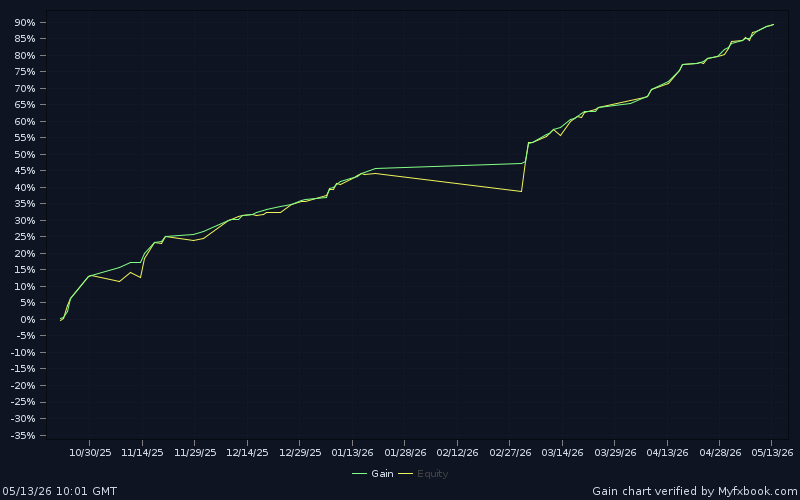
- Live-tracked, transparent performance. Every strategy on the Sferica leaderboard ships with a real-time history of fills. The numbers you see are the trades that have actually executed on real KuCoin accounts — not a backtest, not a curated highlight reel.
- No infrastructure to maintain. Sferica's webhooks, Sferica's servers, Sferica's monitoring. You set up the API key once and stop thinking about uptime.
Prerequisites: what you need before starting
Before you start the setup, gather the following:
- A KuCoin account. If you do not have one yet, sign up through Sferica's KuCoin Broker Pro signup link so the platform connection is recognised end-to-end. KuCoin identity verification can take from a few minutes to a few hours depending on your jurisdiction.
- A TradingView account. The free plan works for the initial test. To run alerts on intraday timeframes you will need at least the Essential plan, since the free plan caps the number of simultaneous active alerts.
- Funded KuCoin balance. Start small — $100 to $500 is enough to validate the pipeline end-to-end before you scale. For Futures, fund the futures wallet directly (transfer from Main to Futures inside KuCoin).
- A Sferica account. The 14-day free trial covers the full setup and the first few days of live trading.
You do not need: Python, a VPS, server admin skills, a deep understanding of KuCoin's API, or any custom infrastructure.
Step-by-step: build your KuCoin trading bot in 8 steps
Plan on 10 to 15 minutes for the first connector. Subsequent strategies on the same KuCoin account take under two minutes each.
Step 1 — Open or sign in to your KuCoin account
Goal: have an active KuCoin account ready for an API key. Existing accounts work as-is; new accounts go through Sferica's broker referral so the partnership attribution is recognised end-to-end.
If this is a new account, sign up through the Sferica × KuCoin Broker Pro link and complete identity verification. If you already have a KuCoin account, log in normally — the broker relationship is established by the API key you create in the next step, not by the account itself.
Step 2 — Decide Spot, Futures, or both
Goal: pick which KuCoin product(s) your bot will trade. Start with Spot if this is your first algo bot, add Futures later once you're comfortable with the pipeline.
This decision affects the API key you generate next. KuCoin Spot and KuCoin Futures are separate products inside KuCoin, with separate balances and separate API key panels. If you plan to trade both, generate two keys — one from each panel. Most traders start with Spot, validate the pipeline on a small position, and add Futures once they are comfortable.
Step 3 — Generate the KuCoin API credentials
Goal: leave KuCoin with an API key + secret + passphrase in hand, scoped to trading only — no withdrawal permission, no admin reach.
KuCoin requires a passphrase on every key — Spot and Futures alike — so the procedure is the same shape on both panels. Generate one key per connector you plan to run.
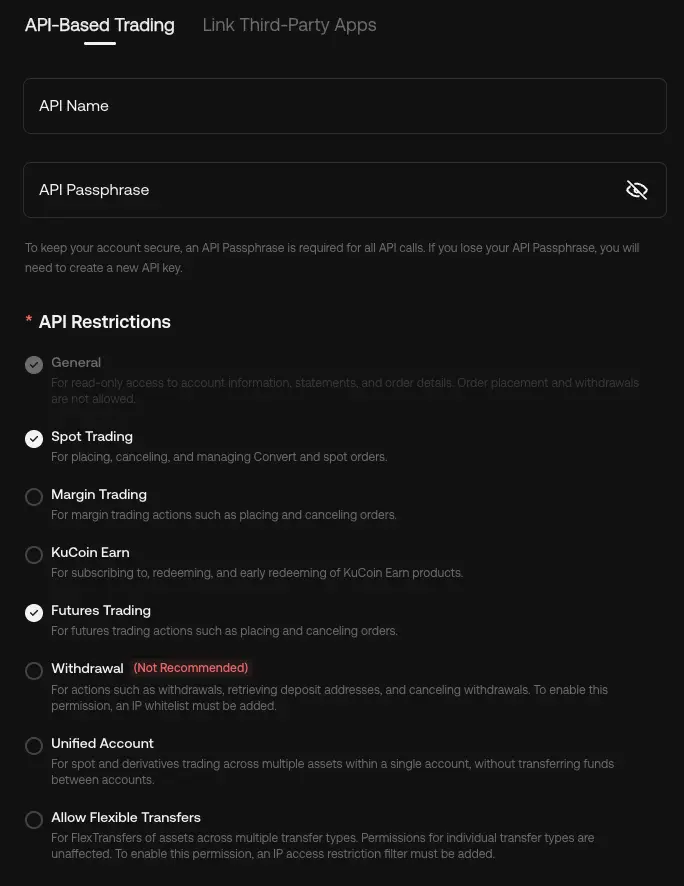 KuCoin's API-Based Trading form. Set a passphrase, enable General + the trading permissions you need (Spot Trading and/or Futures Trading), and leave Withdrawal disabled. The passphrase is mandatory on every KuCoin key.
For KuCoin Spot:
- From your KuCoin dashboard, open API Management (under Account → API Management).
- Click "Create API". Name it something descriptive like "Sferica Spot Connector".
- Set an API passphrase when prompted. Write it down — you will paste it into Sferica in step 5. The passphrase is independent of your account password and there is no recovery flow.
- In the permissions panel, enable General and Trade. Leave "Transfer" and any withdrawal-related option disabled.
- Optionally restrict by IP address. If Sferica publishes its outbound IPs in your dashboard, paste them here.
- Verify with 2FA and email. Copy the API Key, Secret, and Passphrase — the Secret is shown only once.
For KuCoin Futures:
- From your KuCoin Futures dashboard, open the Futures API Management panel (it is separate from the Spot one).
- Click "Create API". Name it "Sferica Futures Connector".
- Set an API passphrase when prompted (same idea as the Spot key — KuCoin requires it on every API key it issues).
- Enable General and Trade. Leave withdrawal-related options disabled.
- Verify with 2FA. Copy the API Key, Secret, and Passphrase.
Step 4 — Start the Sferica free trial
Goal: have a Sferica dashboard open and ready to wire up the connector. No credit card required for the trial.
Head to sfericatrading.com/free-trial and create an account. The 14-day trial unlocks the full platform — no credit card required to begin. Once you are in, you will land on the dashboard.
Step 5 — Connect KuCoin to Sferica
Goal: paste your KuCoin credentials into Sferica and get back a pointer string that links TradingView alerts to your KuCoin account.
From the dashboard, open TradingView Connector Configurations and click "Add Connector". Two KuCoin options will appear — pick the one that matches the API key you generated:
- KuCoin Spot — for spot pair automation.
- KuCoin Futures — for USDT-margined perpetuals.
Both variants take the same three fields: API Key, Secret, and Passphrase. Paste the credentials you copied in step 3, save, and Sferica runs a connection test against KuCoin to confirm the connector is live. The dashboard returns a unique pointer string — that pointer is what links your TradingView alerts to this KuCoin account.
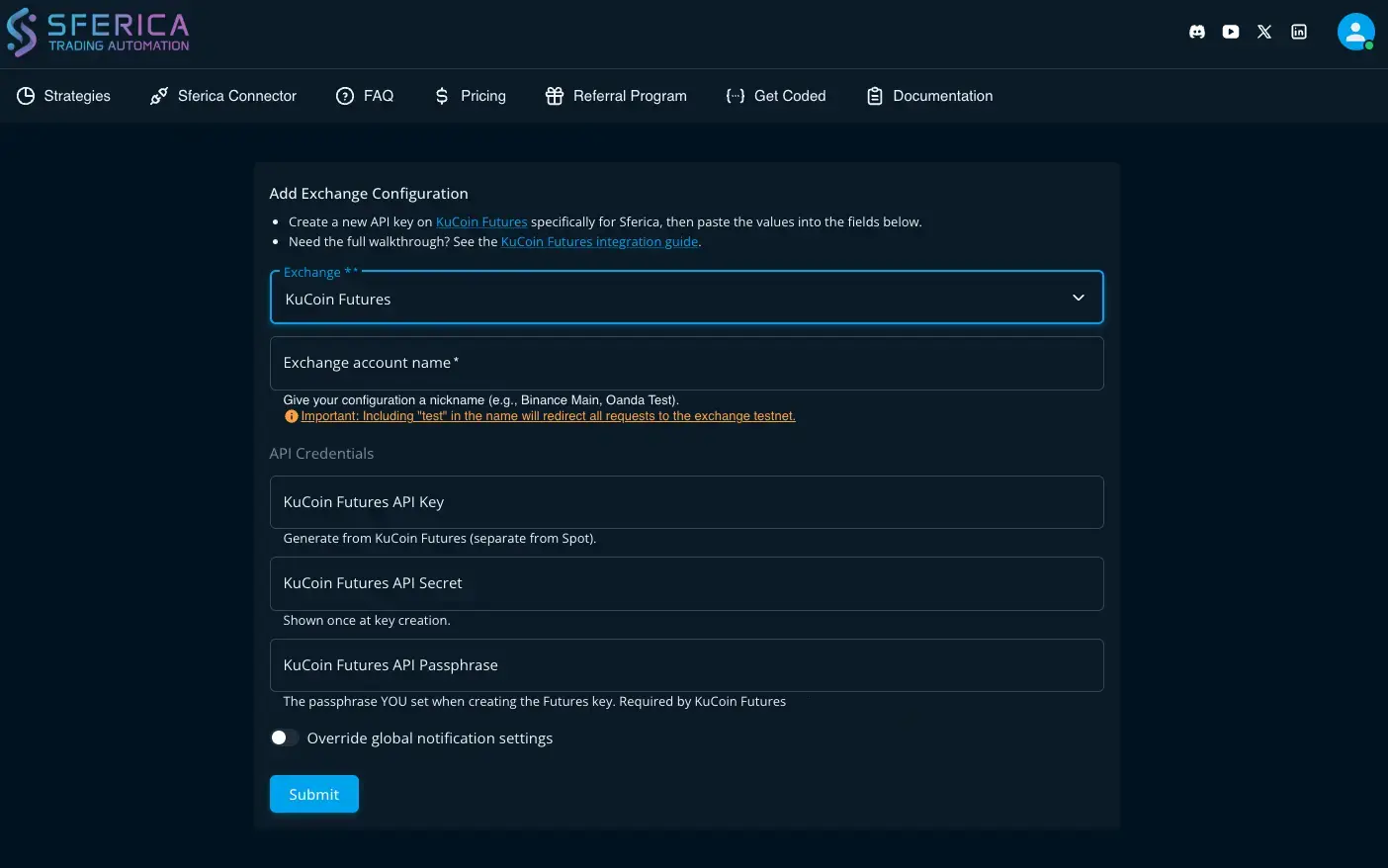 Sferica's "Add Exchange Configuration" form for a KuCoin connector. The Spot variant takes the same three fields (API Key, API Secret, API Passphrase) — only the Exchange selector differs.
If you generated both Spot and Futures keys, repeat the step for the second connector. They live side by side and never interfere.
Step 6 — Pick a strategy from the Sferica leaderboard
Goal: pick a strategy on the Sferica leaderboard that trades a KuCoin-compatible instrument and has enough live history to trust.
Open the leaderboard. Strategies are ranked by live metrics — ROI, profit factor, consistency — and the instrument column tells you what each one trades. Because KuCoin is crypto-only, focus on strategies whose instruments are spot crypto pairs (BTC, ETH, altcoins quoted in USDT) or USDT-margined perpetuals. Skip anything that trades Forex (EURUSD, GBPUSD, etc.) or US equities — those instruments aren't available on KuCoin.
Click into a strategy to open its detail page: you'll see the full live trade history, the backtest report, and the supported broker connectors. If KuCoin Spot or KuCoin Futures isn't listed there, the strategy won't run on your KuCoin connector.
For your first bot, prefer a strategy with at least 90 days of live history and a profit factor above 1.5. Avoid the very top-ranked strategy if it has only a few weeks of data — recent winners can be variance, not skill.
Step 7 — Configure the TradingView alert
Goal: wire up the TradingView alert that fires the signal end-to-end whenever your chosen strategy enters or exits a position.
Each Sferica strategy ships with a TradingView alert template. Open the strategy in your TradingView chart, click the alert bell, paste the template Sferica provides into the alert message, and set the webhook URL (also shown on the strategy page) into the alert's Webhook URL field. Save.
From now on, every signal the strategy fires on TradingView hits the Sferica webhook, Sferica routes it to your KuCoin connector, and KuCoin executes.
Step 8 — Test on a small position, then activate
Goal: validate the full pipeline with a tiny trade before scaling. This is where misconfigured keys, wrong leverage, or bad alert messages surface — at minimum cost.
Before you scale to your full account size, run one or two trades at the smallest position size the strategy allows. This validates that the full pipeline — TradingView alert → Sferica webhook → KuCoin order — works with your specific API keys, account, and connector profile. Confirm the trade appears both in your KuCoin trade history and in the Sferica strategy log. Once the small test settles correctly, raise position size to your target level in the strategy's risk configuration and let it run.
How to set up KuCoin API keys safely
A compromised API key with trading permission can cost you money even without withdrawal access — for example, an attacker can pump-and-dump a low-liquidity altcoin against your account. KuCoin is especially exposed here because of its broad altcoin coverage. Take the API key setup seriously.
Four rules for KuCoin specifically (see also KuCoin's official API key tutorial for the permission-by-permission reference):
- Withdrawal / Transfer must be disabled. Sferica never needs either. If your KuCoin key has Transfer permission and it leaks, an attacker can move funds out of your trading wallet — or to a sub-account they control.
- Store the passphrase as carefully as the secret — on both Spot and Futures keys. The passphrase is the third credential KuCoin enforces on every key, and there is no recovery flow: if you lose it, you delete the key and create a new one. Keep it in your password manager next to the secret.
- IP-restrict the key if you can. If Sferica publishes its outbound IPs in your dashboard, paste them into KuCoin's IP whitelist. KuCoin will reject any API call from a different IP. Significantly raises the bar for any attacker.
- Rotate every 3 to 6 months. Even with everything locked down, periodic rotation is cheap insurance. Revoking the old key takes seconds in KuCoin's API panel.
Bonus: enable KuCoin's Anti-Phishing Phrase so legitimate KuCoin emails include your phrase and phishing attempts do not.
Configuring TradingView alerts for KuCoin automation
If you are using a Sferica-provided strategy, the alert template is given to you and you only need to paste it in. But if you are bringing your own Pine Script strategy, the message format matters.
Sferica expects a JSON payload with at minimum: strategy identifier, action (buy/sell/close), and the pointer to route the signal. A typical KuCoin Futures alert looks like:
{
  "ticker" : "{{ticker}}",
  "action" : "{{strategy.order.action}}",
  "prev_position" : "{{strategy.prev_market_position}}",
  "quantity" : "{{strategy.order.contracts}}",
  "pointer" : "{{YOUR_POINTER}}"
}
For Spot, during the Connector creation, select "connector": "Kucoin Spot" instead.
One alert per strategy, one webhook URL per Sferica account. Sferica de-duplicates alerts so a quick double-fire (which Pine Script strategies occasionally produce on bar close) does not result in a duplicate trade.
Testing your KuCoin trading bot before going live
Three layers of testing, in order:
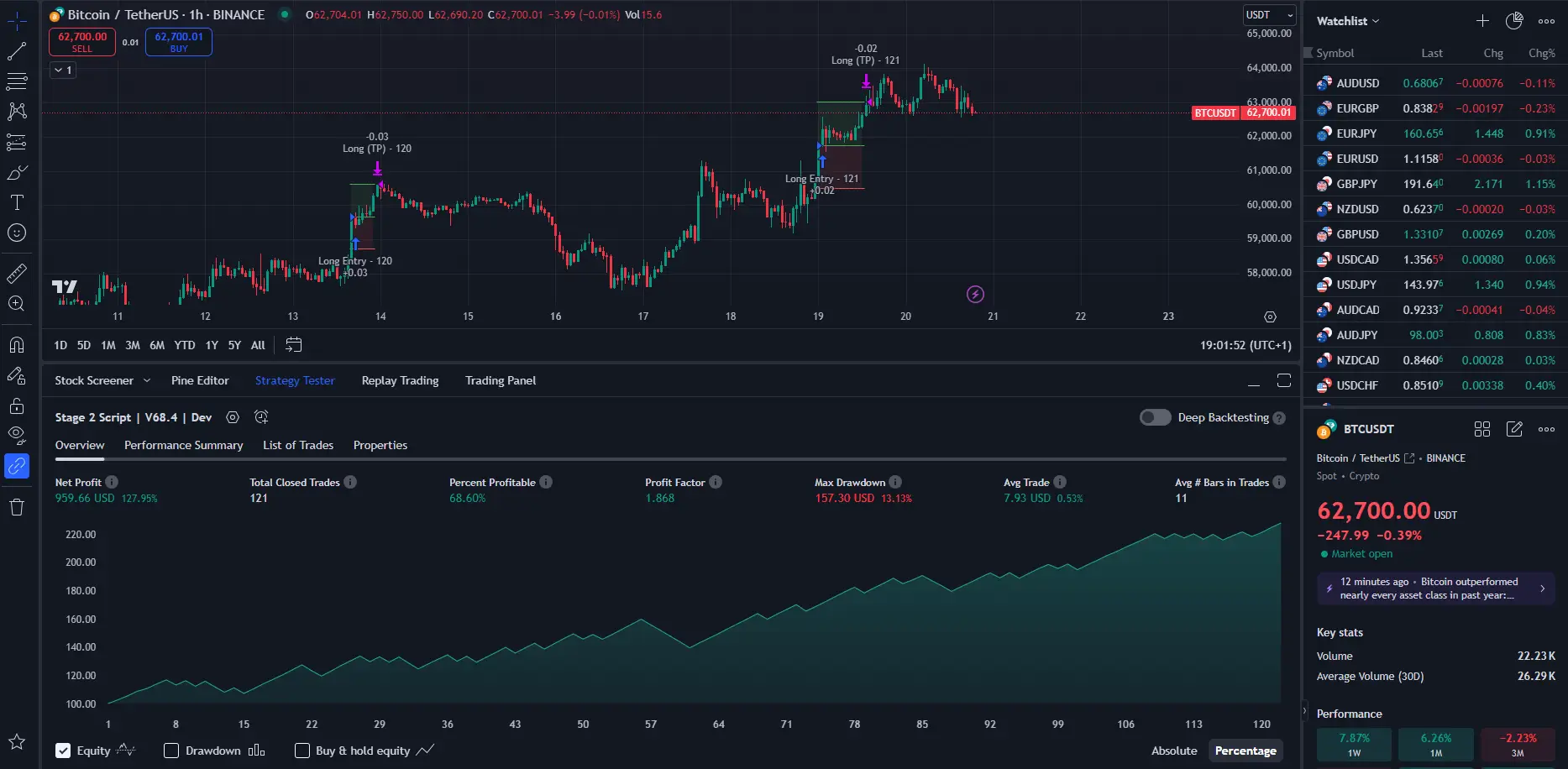
- Backtest on TradingView. The Pine Script strategy you are running ships with a backtest report in TradingView's Strategy Tester panel. Validate that the backtest numbers match what is shown on the Sferica leaderboard — small differences are normal (slippage and fee modelling are slightly different between TradingView's simulator and KuCoin's live fills), big gaps are a red flag.
- Paper-trade through TradingView. You can run the strategy on TradingView's paper-trading broker before connecting it to a real KuCoin account. This validates the strategy logic but does not validate Sferica's routing or KuCoin's execution.
- Live test on a small size. The only test that catches every layer is one or two real trades at the smallest position size the strategy allows. This is where misconfigured connectors, wrong API permissions, mismatched alert messages, or wrong leverage settings all surface — at minimum cost.
Do not skip the third step. Backtest-to-live gaps are real and they are almost always specific to your setup, not to the strategy.
KuCoin Spot vs KuCoin Futures: which should you automate first
If you are new to algorithmic trading on KuCoin, start with Spot. It is the simpler product — no leverage, no margin mode, and the risk profile is bounded by the capital you put in. The API permissions are easier to reason about and mean-reversion or trend-following strategies on altcoin pairs are the natural first fit.
Once you have one Spot strategy running cleanly for two or three weeks and you are comfortable reading the Sferica logs, add Futures. KuCoin Futures opens leverage, isolated and cross margin, and a separate balance pool — that flexibility is powerful for short-term strategies but unforgiving when miscalibrated. Cap leverage low (3x to 5x at most for the first month), use isolated margin until the strategy is proven, and never put the same capital behind a Spot and a Futures strategy at the same time.
Both connectors live in the same Sferica dashboard and the per-connector strategy logs make it easy to compare them side-by-side. There is no platform-level reason to pick one over the other long-term — your strategy fit and risk tolerance decide.
KuCoin trading bot risk management
Algorithmic trading does not change the underlying risk of holding crypto exposure. It only changes who pulls the trigger. The controls below matter most for a KuCoin bot specifically:
- Cap position size per trade. Sferica lets you set a fixed-dollar or percent-of-account size per strategy. Start low — 1% to 2% of the connector's allocated balance per trade — and only raise after 30 days of live data.
- Cap leverage per strategy on Futures. KuCoin Futures supports up to 100x on some pairs. Almost nothing in algorithmic trading requires more than 5x. Sferica enforces the leverage cap on every order.
- Use isolated margin until the strategy is proven. Cross margin pools the entire futures balance behind each open position — efficient when the strategy works, catastrophic when it does not. Isolated caps the damage to one trade's allocated margin.
- Set a daily-loss kill switch. Sferica's account-level kill switch pauses every strategy when the connector hits a configurable daily-loss threshold. Use it. Black-swan days happen.
- Watch correlation across altcoin strategies. Two strategies on different altcoin pairs can be highly correlated in live markets — most altcoins move together when BTC or ETH moves. Sferica's portfolio view shows live correlation between active strategies.
- Isolate strategies with sub-accounts. If you plan to run more than two or three strategies on the same KuCoin account, create a sub-account per strategy or per strategy family. Each sub-account gets its own API key and Sferica connector. The bookkeeping simplification pays for itself immediately.
Sferica versus KuCoin's native trading bots
KuCoin ships three native bot products inside its app: Spot Grid, DCA, and Futures Grid. They are configured through templates — you pick parameters (grid range, step size, leverage) and KuCoin runs the logic server-side. They are useful for the use case they target: passive, range-bound markets where you want to take small profits from oscillation.
They are not a substitute for a TradingView-driven bot for three reasons:
- No external signals. Native KuCoin bots cannot be triggered by a TradingView alert, a TrendSpider signal, or any custom logic you have built outside KuCoin. They are isolated systems.
- No strategy authorship. You cannot read the bot's internal logic, you cannot modify it, and you cannot port a strategy that worked elsewhere to KuCoin. You pick from KuCoin's templates.
- No live-tracked transparency across users. KuCoin shows you your bot's performance, but you cannot compare it against a population of other live runs of the same strategy — because the same strategy doesn't really exist outside of your settings.
Sferica + TradingView covers the opposite use case: rules-based, signal-driven, fully transparent strategies you can read, backtest, and compare to live performance from other users. Run both side-by-side if you want — a native KuCoin grid on a quiet altcoin pair and a Sferica trend-following strategy on a major. They do not interfere.
Common KuCoin trading bot mistakes to avoid
The mistakes below come from real users in their first 30 days. None of them are theoretical:
- Going live without the small-size test trade. Skipping Step 8 above. A misconfigured alert can spam KuCoin with orders the moment the chart ticks.
- Granting Transfer permission to the API key. Almost no Sferica user needs this. If you did it by reflex, revoke and recreate the key with Transfer disabled.
- Mixing up the Spot and Futures API keys. They look similar in your password manager but they connect to different KuCoin products. Pasting a Spot key into the Futures connector (or vice versa) will produce a "key invalid" error on the first test trade.
- Losing the API passphrase (Spot or Futures). KuCoin does not let you recover it on either key. If you forget the passphrase, you delete the API key and create a new one — and update the Sferica connector with the new credentials.
- Running the same strategy on Spot and Futures simultaneously. They will fight for the same trading thesis with different mechanics, and the results are unpredictable. Pick one per strategy.
- Picking the top-ranked leaderboard strategy without checking duration. Recent leaders can be variance. Filter by 90+ days live, profit factor above 1.5, consistency above 60%.
- Skipping sub-accounts. By the third strategy, the bookkeeping gets noisy fast on a single account. Cheap to fix early, expensive to retrofit.
Next steps: try Sferica with KuCoin
If you do not have a KuCoin account yet, open one through the Sferica × KuCoin Broker Pro signup link so the platform connection is recognised end-to-end. Create a trade-only API key, then start the 14-day Sferica free trial. The full setup is genuinely under 10 minutes for the first connector — Spot or Futures, your choice. Full technical details of what Sferica supports on each variant live on the KuCoin integration page.
If you want to explore other broker integrations first, the full directory is at Sferica integrations — Binance, Bybit, Kraken, MetaTrader 4, MetaTrader 5, OANDA, and more are all covered with the same no-code pipeline. And if you would rather see what is actually trading live before committing to anything, the live performance leaderboard updates daily with every strategy on the platform.
Trading involves risk. Past performance is not indicative of future results. Read Sferica's risk disclosures before you allocate capital to any strategy.
Frequently Asked Questions
Do I need to know how to code to build a KuCoin trading bot with Sferica?
No. Sferica is a no-code automation layer between your trading signals and KuCoin. You pick a strategy from the Sferica leaderboard (or bring your own TradingView script), generate a KuCoin API key, paste it into a connector, and Sferica handles every alert that fires afterwards. The only mildly technical step is generating the API key inside KuCoin, and KuCoin walks you through it.
What is the difference between the KuCoin Spot connector and the KuCoin Futures connector?
They are two separate connector profiles in Sferica, each pointing at a different KuCoin product. The credentials are identical — both take API key, secret, and the passphrase you set when creating the key on KuCoin. The difference is which KuCoin API panel you generated the key from: Spot keys live under the standard API Management page, Futures keys under the Futures API Management page. You can run both connectors on the same Sferica account in parallel, with different strategies on each.
Can I use my existing KuCoin account, or do I need a new one?
You use your existing KuCoin account. Sferica connects via API keys that you generate inside your own KuCoin API management panel. Funds, balances, and trade history stay in your KuCoin account — Sferica never has custody. If you do not have a KuCoin account yet, open one through Sferica's broker referral so the platform connection is recognised end-to-end.
Can I trade small-cap altcoins on KuCoin through Sferica?
Yes. Any KuCoin spot pair that is tradable on your account can be automated through Sferica. KuCoin's altcoin breadth is one of the main reasons traders pick it over Binance or Bybit, and the connector preserves that — there is no curated subset of pairs that Sferica blocks.
Are KuCoin sub-accounts supported?
Yes. The recommended setup for traders running more than two or three strategies is to create a dedicated KuCoin sub-account per strategy or per strategy group and generate an API key from inside the sub-account. This isolates Sferica activity from your main balance and makes per-strategy bookkeeping much cleaner.
Why not just use KuCoin's native trading bots?
KuCoin's native bots — Spot Grid, DCA, Futures Grid — are template-based and not driven by an external API or signal. They cannot be triggered by a TradingView alert, they cannot be combined with a custom Pine Script strategy, and you cannot inspect or modify their internal logic. Sferica is the opposite: every signal comes from a strategy you can read, backtest, and track live, and every order is the result of a TradingView or TrendSpider alert hitting Sferica's webhook. Both approaches are valid; they solve different problems.
Are my KuCoin API keys safe to store in Sferica?
Sferica stores KuCoin API keys encrypted at rest and only decrypts them in-process at order-execution time. The recommended setup is to create the API key with trading permission only — leave withdrawals disabled at the KuCoin level. If anything ever looks wrong, you can revoke the key inside KuCoin and the connector stops being able to place orders within seconds. Combine that with KuCoin's IP whitelist if you want a second layer of protection.
Can I cancel my Sferica subscription anytime?
Yes. The plan is managed by Stripe and you can cancel from your Sferica dashboard at any time. Cancelling stops billing at the end of the current period and disables active strategies. Your KuCoin API keys remain yours either way — Sferica losing access to them never affects your KuCoin balance or open positions.
Ready to Automate Your Trading?
Explore our plans and start your 14-day free trial today.
View PricingTable of Contents
- What is a KuCoin trading bot
- How a KuCoin bot works with TradingView and Sferica
- 1. TradingView creates the signal
- 2. Sferica receives and processes the alert
- 3. KuCoin receives the order through API
- Why Sferica + KuCoin
- Prerequisites: what you need before starting
- Step-by-step: build your KuCoin trading bot in 8 steps
- Step 1 — Open or sign in to your KuCoin account
- Step 2 — Decide Spot, Futures, or both
- Step 3 — Generate the KuCoin API credentials
- Step 4 — Start the Sferica free trial
- Step 5 — Connect KuCoin to Sferica
- Step 6 — Pick a strategy from the Sferica leaderboard
- Step 7 — Configure the TradingView alert
- Step 8 — Test on a small position, then activate
- How to set up KuCoin API keys safely
- Configuring TradingView alerts for KuCoin automation
- Testing your KuCoin trading bot before going live
- KuCoin Spot vs KuCoin Futures: which should you automate first
- KuCoin trading bot risk management
- Sferica versus KuCoin's native trading bots
- Common KuCoin trading bot mistakes to avoid
- Next steps: try Sferica with KuCoin